


Firefox Release Notes
Release Notes tell you what's new in Firefox. As always, we welcome your feedback. You can also file a bug in Bugzilla or see the system requirements of this release.
Download Firefox — English (US)
Your system may not meet the requirements for Firefox, but you can try one of these versions:
Download Firefox — English (US)
-
Download Firefox

-
Download Firefox
-
Download Firefox
-
Download Firefox
-
Download Firefox
-
Download Firefox
-
Download for Linux 64-bit
-
Download for Linux ARM64
-
Firefox for Android
-
Firefox for iOS
-
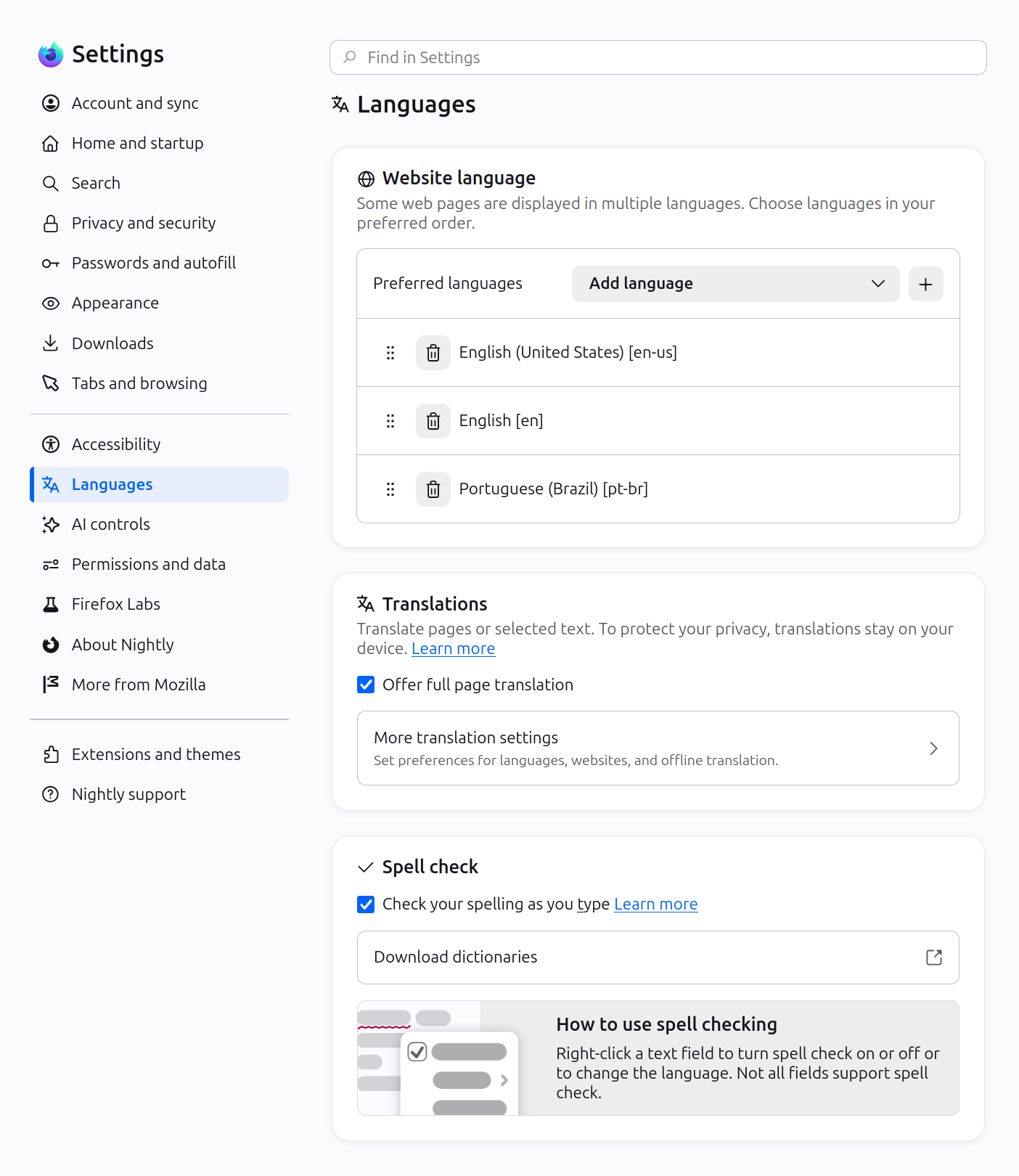
Firefox Settings features a brand-new look with streamlined organization, clearer groupings, and improved navigation for easier customization.
-
In Private Browsing windows, you can now temporarily disable tracker blocking for a tab if it's causing a site to break. When you reload a page where trackers were blocked, Firefox shows a message offering to reload without the stricter protections. All other tracking protections stay active.

-
You can now mute your browser from the address bar: type "mute" (or "shush" or "sssh") and use the address bar quick action to silence every tab currently playing sound across all Firefox windows.
-
Improved support for more advanced cursor movement commands, including those relating to paragraph boundaries, on macOS.
-
On Windows and Linux, you can now copy links via the tab context menu by right-clicking a tab and selecting Share > Copy Link, making it easy to copy a link without switching to the tab first. When multiple tabs are selected, you can copy all selected links at once. Windows users still retain access to Microsoft sharing options from the Share menu.
-
A "Send tab" toolbar button is now available which can be added via More Tools > Customize Toolbar.
-
The following languages are now available for Translations:
- Basque
- Galician
-
Firefox builds in Croatian, English (UK), Georgian, Persian, Slovenian, Tajik, Tamil, Tibetan, Turkish, Welsh, and Xhosa now come with a built-in dictionary for the Firefox spellchecker.
-
Firefox now offers experimental support for the new JPEG XL image format, which generally provides better compression than WebP, JPEG, PNG, and GIF and is designed to supersede them. You can enable it from the Firefox Labs panel in Settings.

Get the most recent version
Download Firefox — English (US)
Your system may not meet the requirements for Firefox, but you can try one of these versions:
Download Firefox — English (US)
-
Download Firefox
-
Download Firefox
-
Download Firefox
-
Download Firefox
-
Download Firefox
-
Download Firefox
-
Download for Linux 64-bit
-
Download for Linux ARM64
-
Firefox for Android
-
Firefox for iOS