


Firefox Release Notes
Release Notes tell you what's new in Firefox. As always, we welcome your feedback. You can also file a bug in Bugzilla or see the system requirements of this release.
Download Firefox — English (US)
Your system may not meet the requirements for Firefox, but you can try one of these versions:
Download Firefox — English (US)
-
Download Firefox

-
Download Firefox
-
Download Firefox
-
Download Firefox
-
Download Firefox
-
Download Firefox
-
Download for Linux 64-bit
-
Download for Linux ARM64
-
Firefox for Android
-
Firefox for iOS
-
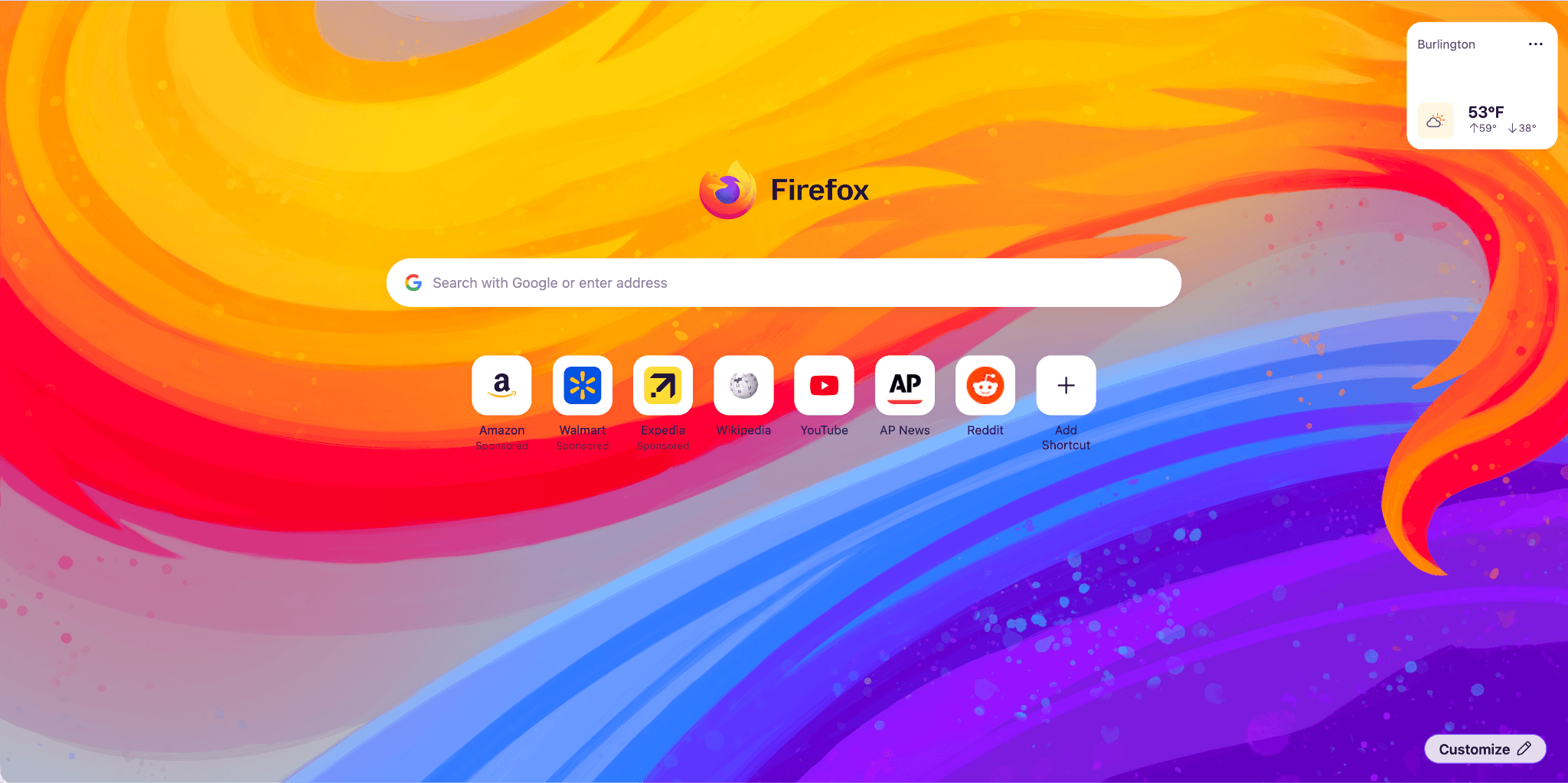
Firefox Home (New Tab) has a fresh, new look and feel. The layout and design will enable upcoming features, from widgets to shortcuts improvements, launching between 151 and 152. Included are some new and exciting Wallpapers, such as the one below. Use the pencil icon in the lower right to check them out.

-
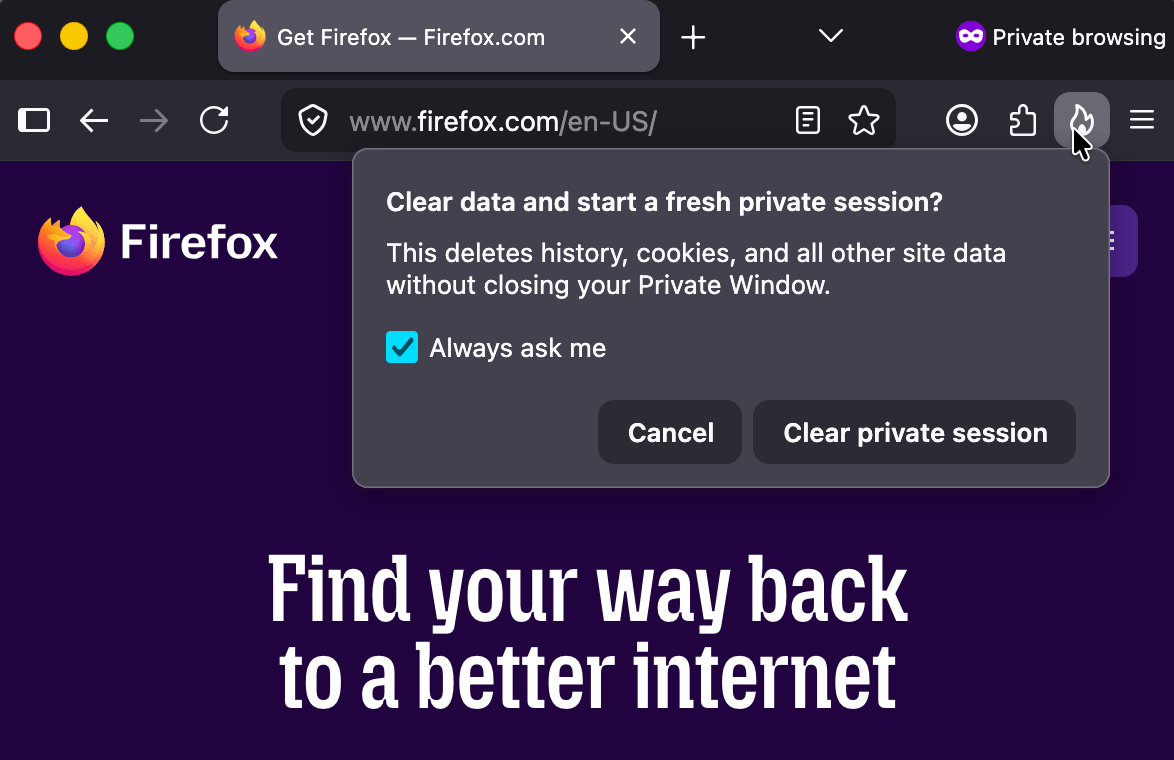
Private Browsing Mode now allows you to instantly clear all data from your current session without closing the entire window. When you select the End Private Session button (the fire icon) to the right of the URL bar, Firefox will ask you to confirm to clear your session. Once confirmed, it will wipe all of your private browsing data and open a fresh new Private Browsing Mode session for you.
-
Firefox now strengthens protection against fingerprinting in Standard Enhanced Tracking Protection, making it harder for websites to track you across sites by limiting the amount of information revealed about your device and browser. This reduces the number of users uniquely identifiable by common fingerprinting techniques by an average of ~14%, and by ~49% on macOS.
-
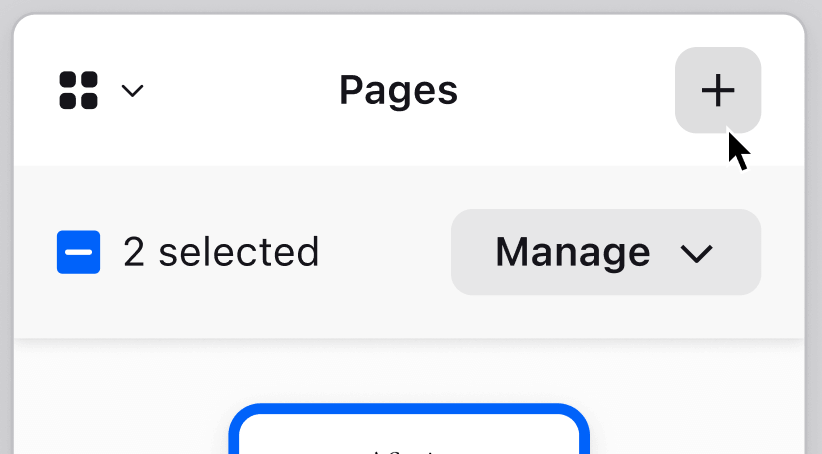
You can now merge multiple PDFs directly in Firefox PDF. Combine separate PDF files into a single document without ever leaving Firefox or relying on third-party tools.
-
The Translations page (about:translations) is now accessible through the More Tools section of the Application Menu.
-
Local Firefox profile backups are now available on Linux in addition to Windows, and you can restore them across platforms.
-
On macOS, URLs copied from iOS devices using Apple’s Universal Clipboard now paste correctly in Firefox.
-
On macOS, dropdown menus on web pages now use the native macOS menu style, matching the look and behavior of the rest of the system.
-
Address Autofill is enabled for users in the Netherlands.
-
Firefox’s built-in VPN now lets you choose your browsing location, giving you more control over how and where your traffic appears online. You can select from available countries or use Recommended to automatically choose the best connection for your network.

This feature is part of a progressive roll out.
What is a progressive roll out?
Certain new Firefox features are released gradually. This means some users will see the feature before everyone does. This approach helps to get early feedback to catch bugs and improve behavior quickly, meaning more Firefox users overall have a better experience.
-
You can now manage microcontrollers that support serial communications in Firefox via the Web Serial API. This lets you program microcontrollers and development boards, such as ESP devices, Raspberry Pi Picos, 3D printers, CNC machines, and other devices. Web Serial can be used in Extensions, but not from moz-extension contexts at this time.
-
Local network access restrictions are now rolling out to all users. Firefox requires websites to request permission before connecting to devices on your local network or to apps and services on your device. Previously, this protection was limited to users with Enhanced Tracking Protection set to Strict.
This feature is part of a progressive roll out.
What is a progressive roll out?
Certain new Firefox features are released gradually. This means some users will see the feature before everyone does. This approach helps to get early feedback to catch bugs and improve behavior quickly, meaning more Firefox users overall have a better experience.
-
The new Fullscreen Keyboard Lock API adds an optional argument to
requestFullscreenthat allows websites to request that while fullscreen, pressing the Escape key will no longer exit fullscreen (instead, a long-press is required), and certain formerly-reserved browser hotkeys are allowed to be default-prevented. -
Firefox improves the rendering of absolutely positioned elements across multi-column containers and when printing, producing more accurate positioning and fragmentation.
-
@container rules now allow specifying a list of container query conditions rather than a single condition.
-
Firefox now supports container style queries, allowing styles to be applied to an element based on the computed values of its container's custom properties. This can be done by using one or more
style()functions inside @container rules. -
A new
CSSContainerRule.conditionsproperty was introduced, holding an array of all container query conditions. This new property is intended to replaceCSSContainerRule.containerNameandCSSContainerRule.containerQuery, which only supported a single name and query, making them deprecated. -
Updated the behavior of implicit anchors in CSS Anchor Positioning. The position-anchor property now defaults to
normal. When using position-area, implicit anchors are applied automatically, while popovers usinganchor()oranchor-centernow requireposition-anchor: autoto opt in. -
Firefox now supports the Document Picture-in-Picture API, which allows web pages to place content in an always-on-top popup.
-
Temporary site permissions are now correctly reflected in the Permissions API.
-
Firefox now supports the declarative definition of slot assignment behavior for shadow roots.
Get the most recent version
Download Firefox — English (US)
Your system may not meet the requirements for Firefox, but you can try one of these versions:
Download Firefox — English (US)
-
Download Firefox
-
Download Firefox
-
Download Firefox
-
Download Firefox
-
Download Firefox
-
Download Firefox
-
Download for Linux 64-bit
-
Download for Linux ARM64
-
Firefox for Android
-
Firefox for iOS