Firefox FAQ
Whether you searched for a fast browser, or you’re looking for independent tech that protects your privacy, this FAQ is here to answer the most pressing Firefox-related questions.

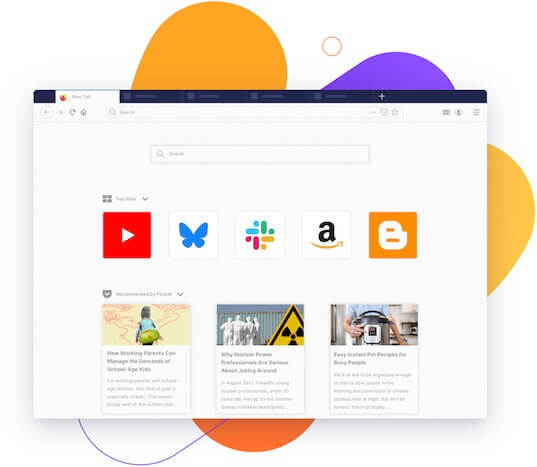
-
What is Firefox?
The Firefox Browser, the only major browser backed by a not-for-profit, helps you protect your personal information. Learn more about the Firefox Browsers and other products.
-
How do I get the Firefox Browser?
You can easily download the Firefox desktop browser here. Firefox works on Windows, Mac and Linux devices, and is also available for Android and iOS. Make sure you’re downloading our browser from one of our trusted Mozilla/Firefox pages.
-
Is Firefox free?
Yep! The Firefox Browser is free. Super free, actually. No hidden costs or anything. You don’t pay anything to use it.
-
Is Chrome better than Firefox?
No, we don’t think Chrome is better than Firefox, and here is why: when people ask which browser is better, they’re really asking which browser is faster and safer. Firefox is updated monthly to make sure you have the speediest browser that respects your privacy automatically.
-
Is Firefox safe to download?
Protecting your privacy is our number one priority, and we ensure that installing Firefox on your devices is completely safe — but always make sure you are downloading from a trusted Mozilla/Firefox site, like our download page.
-
Is Firefox safe?
Not only is Firefox safe to use, it also helps keep your data and private information safe. The Firefox Browser automatically blocks known third party trackers, social media trackers, cryptominers and fingerprinters from collecting your data. Learn more about the privacy in our products.
-
Why is Firefox so slow?
Firefox isn’t slow… now. In 2017, we completely rebuilt our browser engine (called Quantum), to ensure Firefox could compete with other major browsers. And, our tracker blockers help pages load even faster. So Firefox is lightning fast without sacrificing any of your privacy.
-
Is Firefox Chromium based?
Firefox is not based on Chromium (the open source browser project at the core of Google Chrome). In fact, we’re one of the last major browsers that isn’t. Firefox runs on our Quantum browser engine built specifically for Firefox, so we can ensure your data is handled respectfully and kept private.
-
Does Firefox use Google?
Google is the default search engine in Firefox, which means you can search the web directly from the address bar. Learn more about search engine preferences and changing defaults.
-
Does Firefox have a built-in VPN?
Firefox includes a free, built-in VPN that protects your IP address from being tracked while you browse. Turn it on in Firefox with a single click. Available in select markets. For full-device protection across all your devices and apps, check out Mozilla VPN.
-
Who owns Firefox?
Firefox is made by Mozilla Corporation, a wholly owned subsidiary of the not-for-profit Mozilla Foundation, and is guided by the principles of the Mozilla Manifesto. Learn more about the maker of Firefox here.