


Firefox Enterprise
Release Notes
Release Notes tell you what's new in Firefox. As always, we welcome your feedback. You can also file a bug in Bugzilla or see the system requirements of this release.
-
Welcome to Firefox Enterprise. Version 158 is the first Firefox Enterprise release.
Firefox Enterprise is built for organizations with strict security, governance, and compliance requirements. It combines the familiar Firefox browser with additional security controls and an admin console that organizations can run on their own infrastructure. IT teams can use the console to centrally configure browser policies, manage access to web applications, control how sensitive data is shared, and govern the use of AI tools.
Availability: Firefox Enterprise requires an Admin Console deployed on your organization's infrastructure. Request early access to get started.
-
On-premises management: Organizations deploy the Firefox Enterprise Admin Console and supporting services, including Remote Settings, Sync, telemetry collection, crash collection and browser updates, on their own infrastructure.
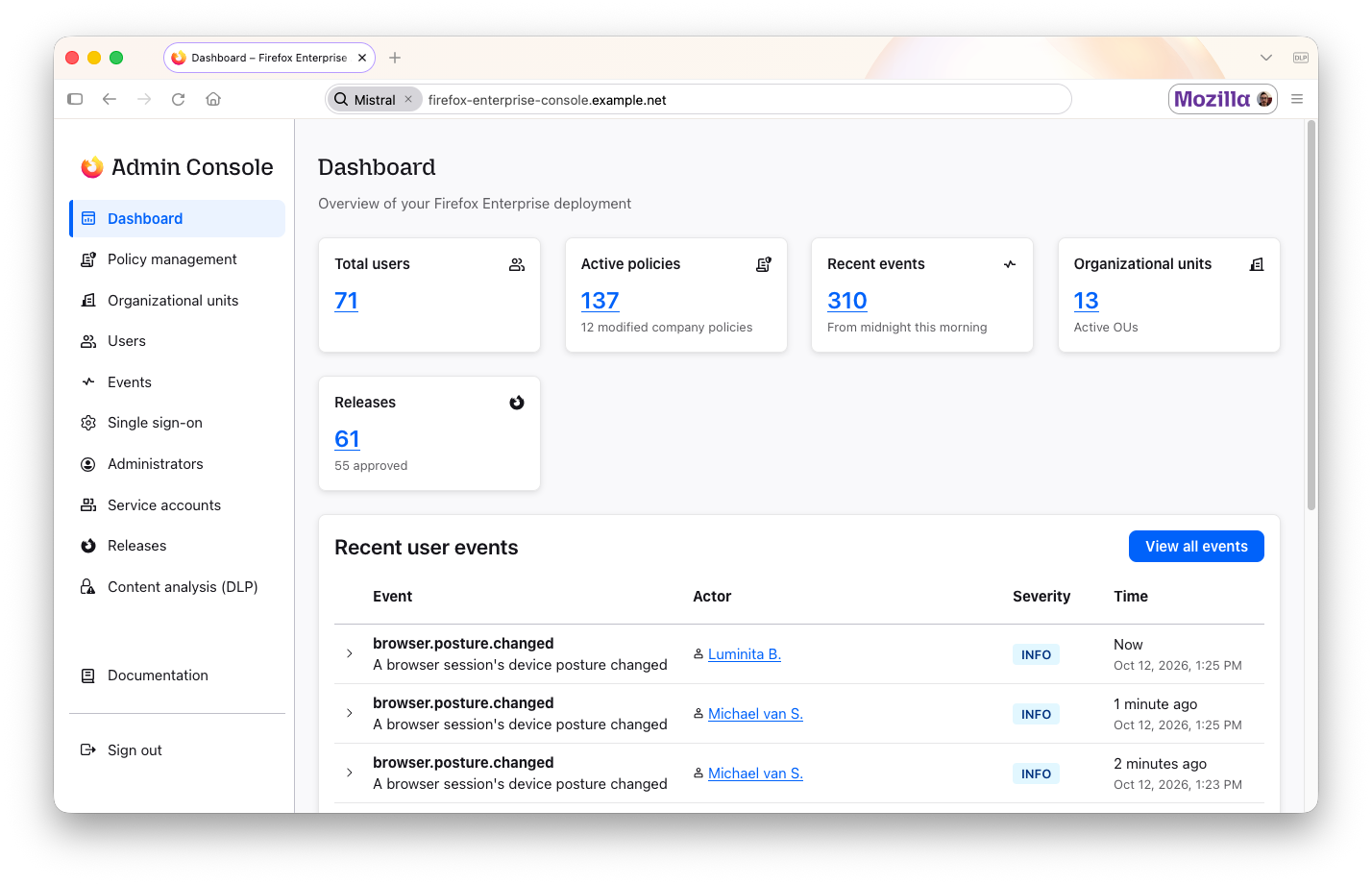
From the console, admins can manage users, sessions and their Firefox Enterprise fleet, and organize users into organizational units. Admins can also configure device posture and content analysis rules, review audit logs, and integrate with SIEM systems. Admin and owner roles provide different permission levels, while service accounts enable programmatic access. Self-hosting keeps organizational data within your infrastructure and gives administrators greater control over data flows.
-
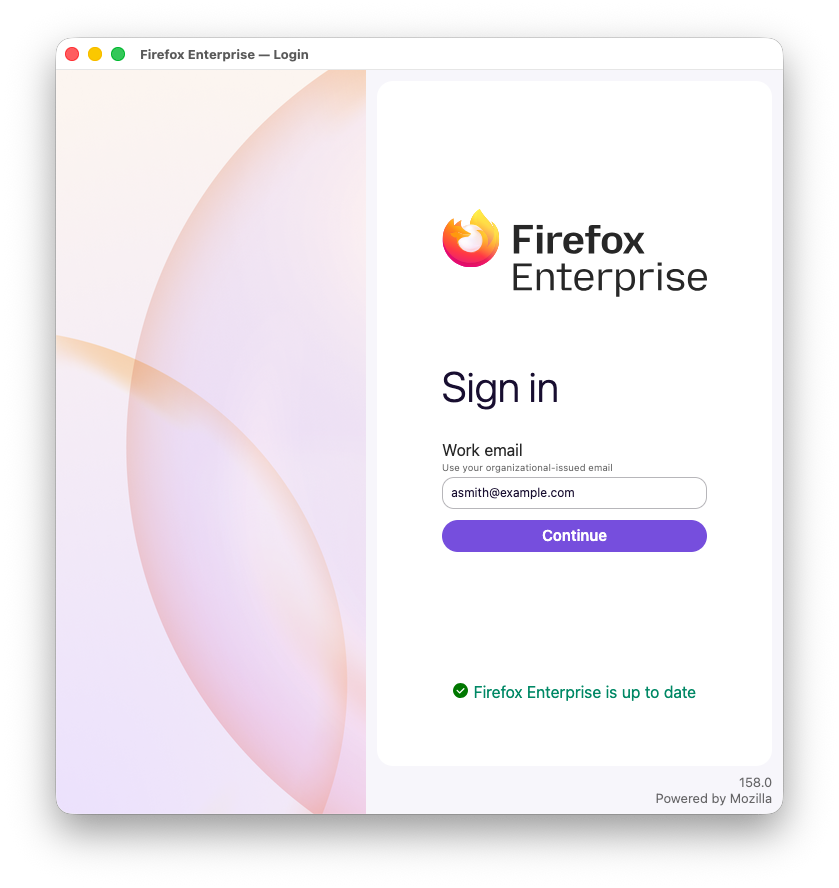
Company sign-in: Employees sign in with your organization's single sign-on before they can start browsing. Firefox Enterprise works with any identity provider that supports OpenID Connect (OIDC), including the multi-factor authentication your provider requires.
-
Device posture checks: Firefox Enterprise reports the security posture of each device to your Admin Console, including the operating system, disk encryption, whether endpoint security software is running, whether the device is joined to an Active Directory domain, installed extensions, and network details. Admins can require a specific posture before an employee can sign in, and Firefox signs the employee out if their device stops meeting it. If security logging is turned on, blocked sign-ins and posture-based sign-outs are recorded in your Admin Console.
-
Data loss prevention (DLP): Admins can block or warn about pasting, file uploads, downloads and printing on the websites they choose, with a custom message explaining the restriction. For example, an organization can block pasting into AI tools it hasn't approved, while approved tools keep working as normal.
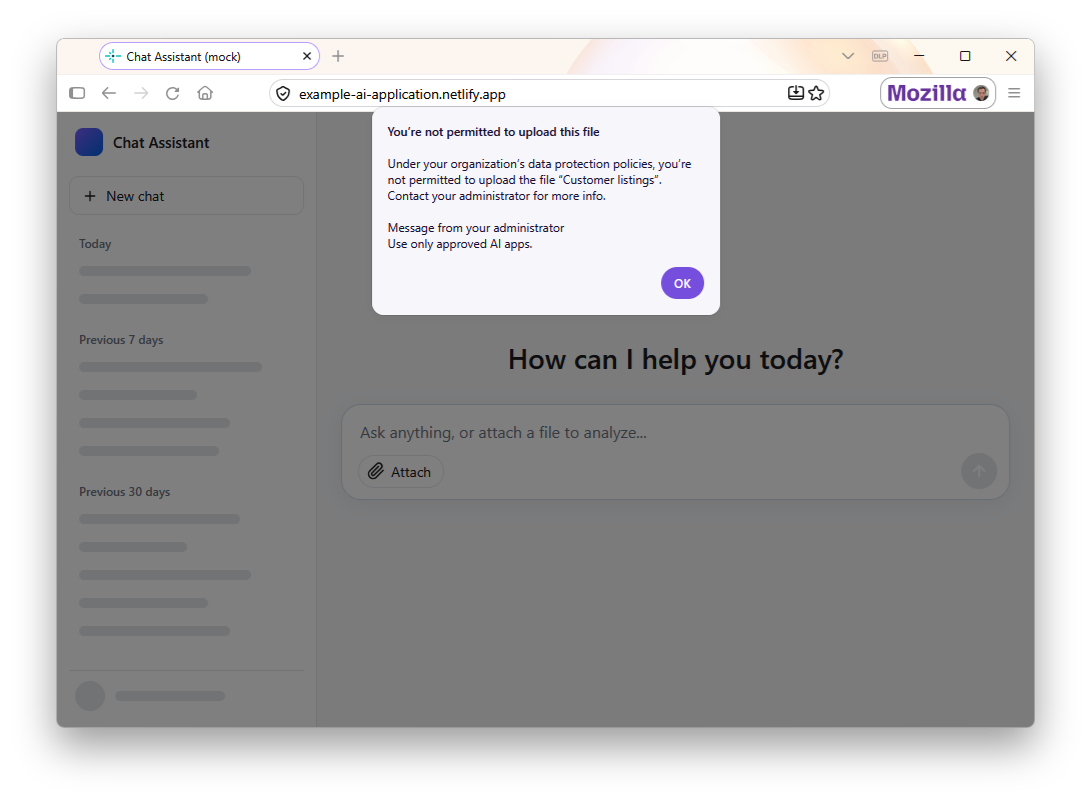
Built-in DLP checks run in the browser on the device, so content isn't sent over the network for inspection. If your organization already uses a third-party DLP agent that connects to Firefox through Content Analysis, Firefox Enterprise turns off its built-in DLP and defers to your agent. Warnings and blocks are recorded in your Admin Console, and admins can disable this logging if they don't need it.
-
Watermarking: Admins can stamp a watermark across sensitive pages, such as the employee's email address and the time. Visible watermarks discourage screenshots and photos of sensitive pages, and help identify where a shared image came from. Admins choose the text, color and the websites it appears on.
-
Lockdown Mode: Admins can apply extra security restrictions to specific websites, helping reduce risks when employees access untrusted sites or work with sensitive web apps. When Lockdown Mode is applied, Firefox can turn off JavaScript just-in-time (JIT) compilation, block service workers, prevent HTTP downgrades, or isolate the site in its own container. Containers can also be temporary, so the site's data is cleared when its last tab closes. Employees see an icon in the address bar when Lockdown Mode protections apply.
-
Profile data encryption: History, form data, logins, and TLS session tokens are encrypted on disk, with a key provided by your admin console. A copied profile folder can't be decrypted without the key from an organization's admin console. Encryption is on by default.
-
Access Connector: Employees can access internal company sites and web apps from personal devices without a device-level VPN, supporting bring-your-own-device (BYOD) use. Admins specify the address of a proxy running on their organization’s infrastructure through the console. An icon in the address bar indicates when a site uses the connector. If the connector can’t be reached, Firefox shows an error.
-
Policies via Admin Console: Firefox Enterprise supports more than 130 enterprise policies, which can be managed centrally by your organization in the Admin Console. Many policy-driven changes can take effect without restarting the browser. This includes proxy config, website filtering, cookies, HTTPS-Only Mode, Lockdown Mode, data loss prevention and extension settings. Admins can also make the console the only source of policies, ignoring any set locally on the device.
-
Sign-out and session locking: Admins choose whether employees are signed out when Firefox Enterprise closes, restarts or crashes. When the browser isn't set to sign out on close, the session is locked instead, and employees unlock it with their operating system's sign-in, such as Touch ID on macOS or Windows Hello, rather than going through company single sign-on again.
-
Update control: Admins can set a minimum Firefox Enterprise version for their deployment, control when devices update, and make the browser restart automatically when an update is ready to install.
-
Security event logging: Admins can turn on logging for security events, including downloads, printing, extension installs, visits to websites blocked by policy, and unsafe websites and downloads flagged by Safe Browsing. Each type of event is off until an admin turns it on, and admins choose how much detail to include: full web addresses, just the domain or none, and for downloads, full file details or just the file type. Events go to your organization's admin console, not to Mozilla.
-
Remote sign-out: Admins can sign out a user or device from the admin console, for example if a laptop is lost or stolen. Connected devices are signed out promptly.
-
Extension controls: Admins can:
- Allow or block extensions by type, permission and website.
- Stop employees from turning off extension auto-updates.
- Set a custom update address for extensions.
- Stop employees from changing website permissions for force-installed Manifest V3 extensions.
- Choose which websites an extension can run on, using the same
runtime_allowed_hostsandruntime_blocked_hostssettings that organizations moving from Chrome already use.
-
Crash reporting: Admins can have crash reports sent automatically to their admin console, or turn off crash reporting entirely.