

See what’s new in Firefox!
Release Notes tell you what’s new in Firefox. As always, we welcome your feedback. You can also file a bug in Bugzilla or see the system requirements of this release.
Download Firefox — English (US)
Your system may not meet the requirements for Firefox, but you can try one of these versions:
Download Firefox — English (US)
-
Download Firefox

-
Download Firefox
-
Download Firefox
-
Download Firefox
-
Download Firefox
-
Download Firefox
-
Download for Linux 64-bit
-
Download for Linux ARM64
-
Firefox for Android
-
Firefox for iOS
-
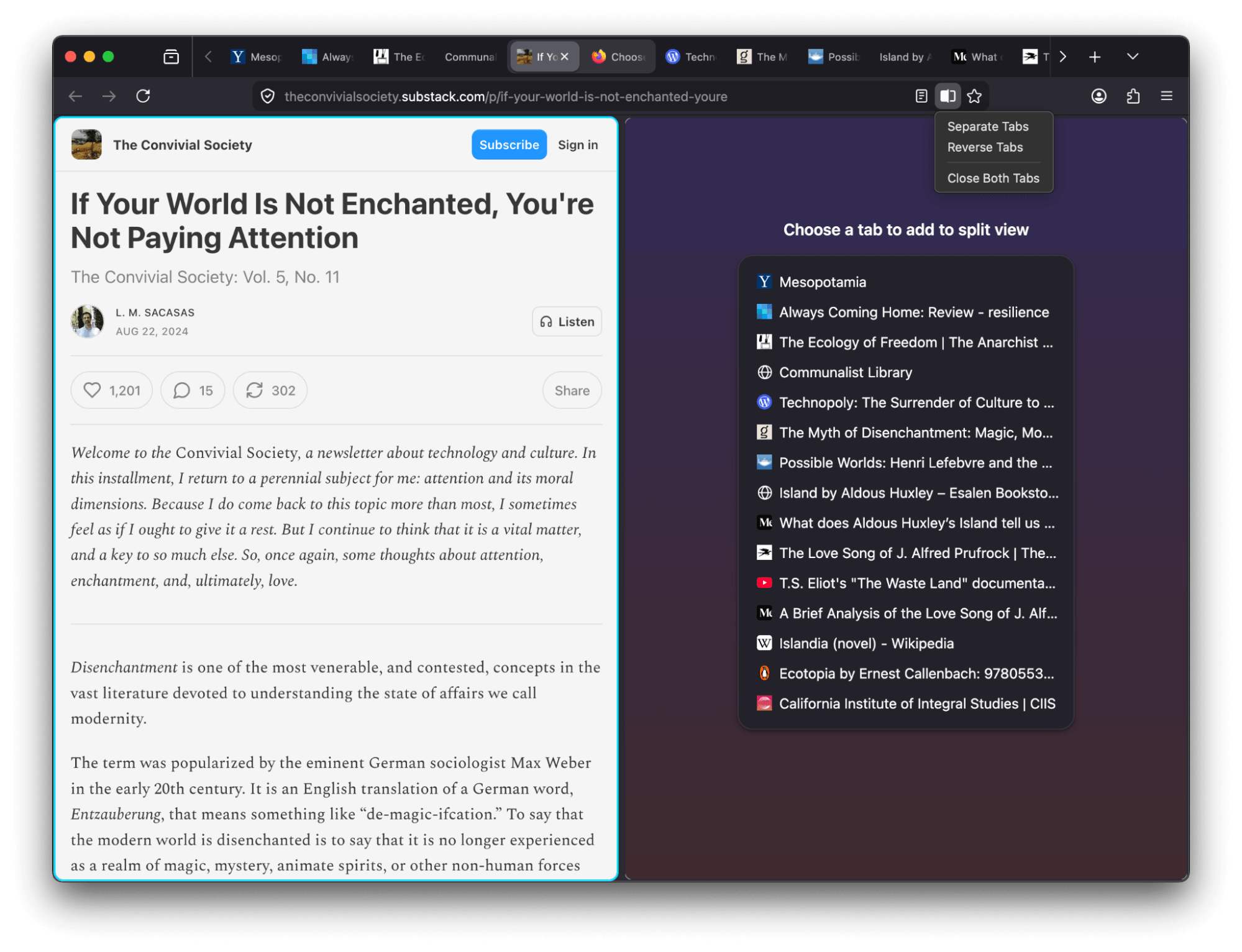
View two pages side-by-side in a single window with the new Split View feature that makes it easier to compare information, research topics or work across two pages at once. To create a split view, select one or two tabs and choose Add to Split View or Open in Split View.
-
Firefox now offers a free built-in VPN. Whether you’re using public Wi-Fi while traveling, searching for sensitive health information, or shopping for something personal, this feature gives you a simple way to stay protected. Once you sign in and turn it on, you can hide your location and IP address by routing it through a secure proxy while you browse in Firefox. You will get 50 GB of protection every month, with the option to turn it on or off for specific websites. This feature is progressively rolling out in the US, UK, Germany and France starting today.
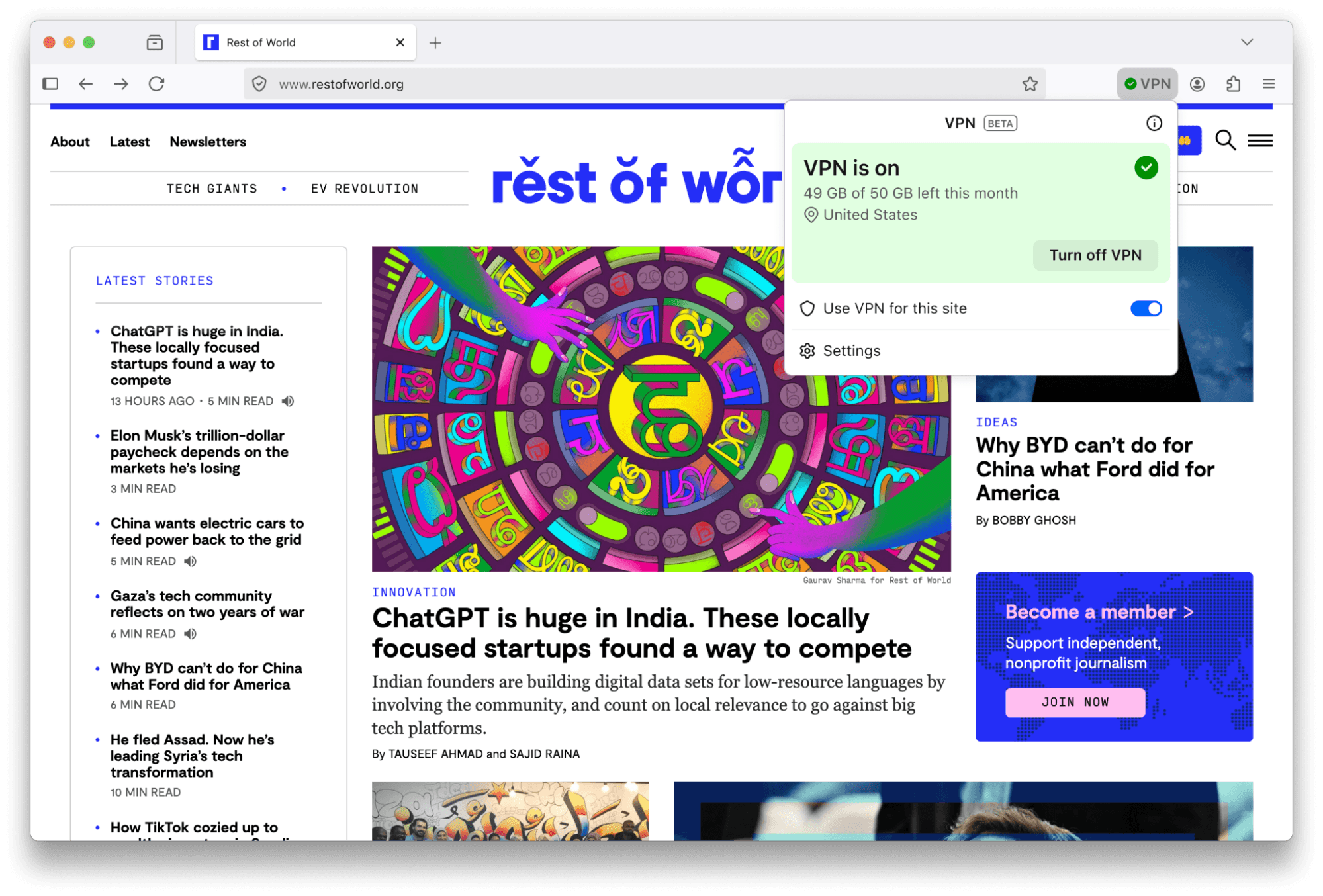

This feature is part of a progressive roll out.
What is a progressive roll out?
Certain new Firefox features are released gradually. This means some users will see the feature before everyone does. This approach helps to get early feedback to catch bugs and improve behavior quickly, meaning more Firefox users overall have a better experience.
-
Many PDF files will now load significantly faster thanks to hardware acceleration.
-
Firefox now automatically blocks notifications and permanently revokes permissions for any website flagged as malicious by SafeBrowsing. This prevents unsafe sites from sending background notifications to users, commonly used for ads, spam or phishing.
-
You can now add a Share button to your toolbar via Customize Toolbar, making it easy to share the current tab using your Windows or macOS system sharing options.
-
Address Autofill is enabled for users in Australia, India, Italy, Poland and Austria.
-
Explore more of the web with new on-device translation support for Bosnian, Norwegian Bokmål, Serbian and Thai — plus improved accuracy for Croatian.
-
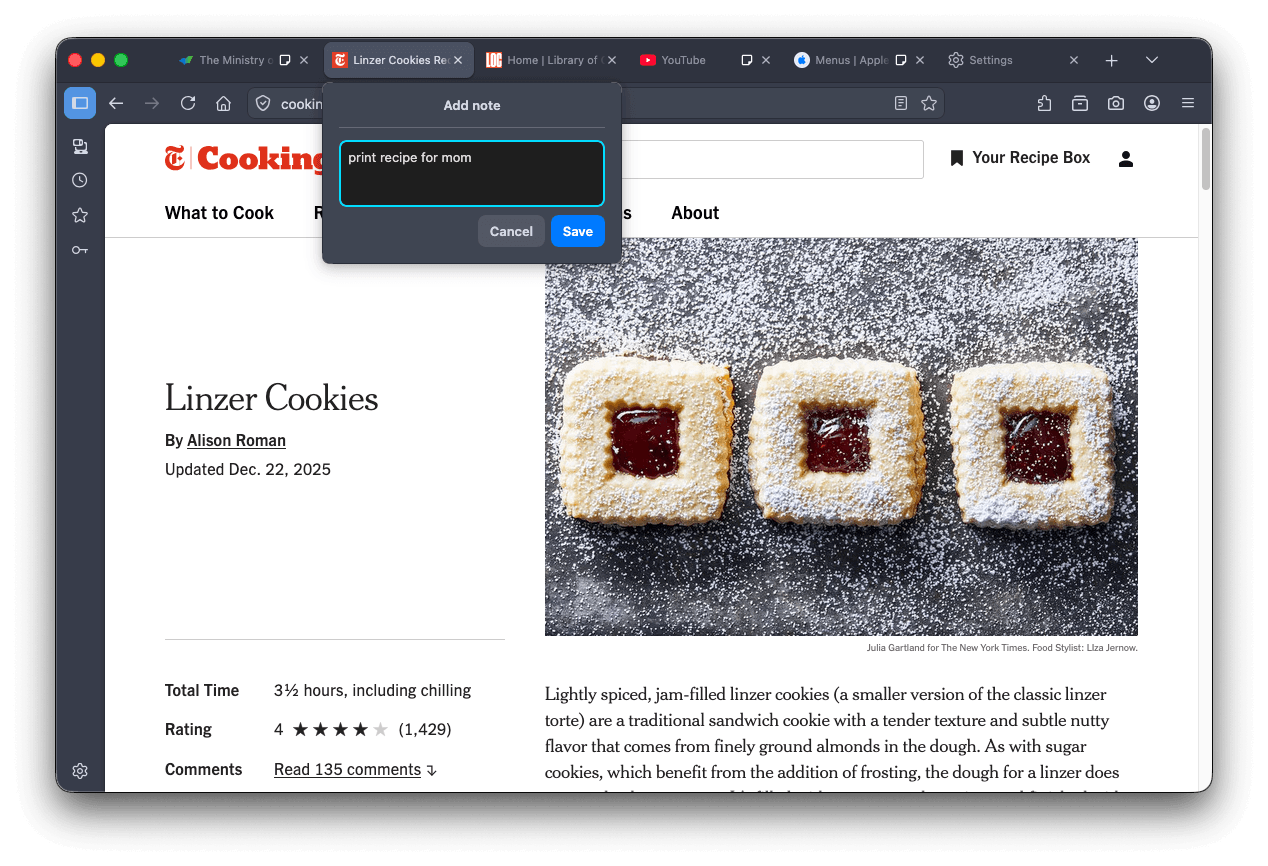
Tab notes feature that lets you attach a short note to a web page is now available in Firefox Labs. You can use notes to remember why you opened a page, what you planned to do next or any details you want to revisit later. Please give notes a try and share your feedback on what works well and what can be improved.
-
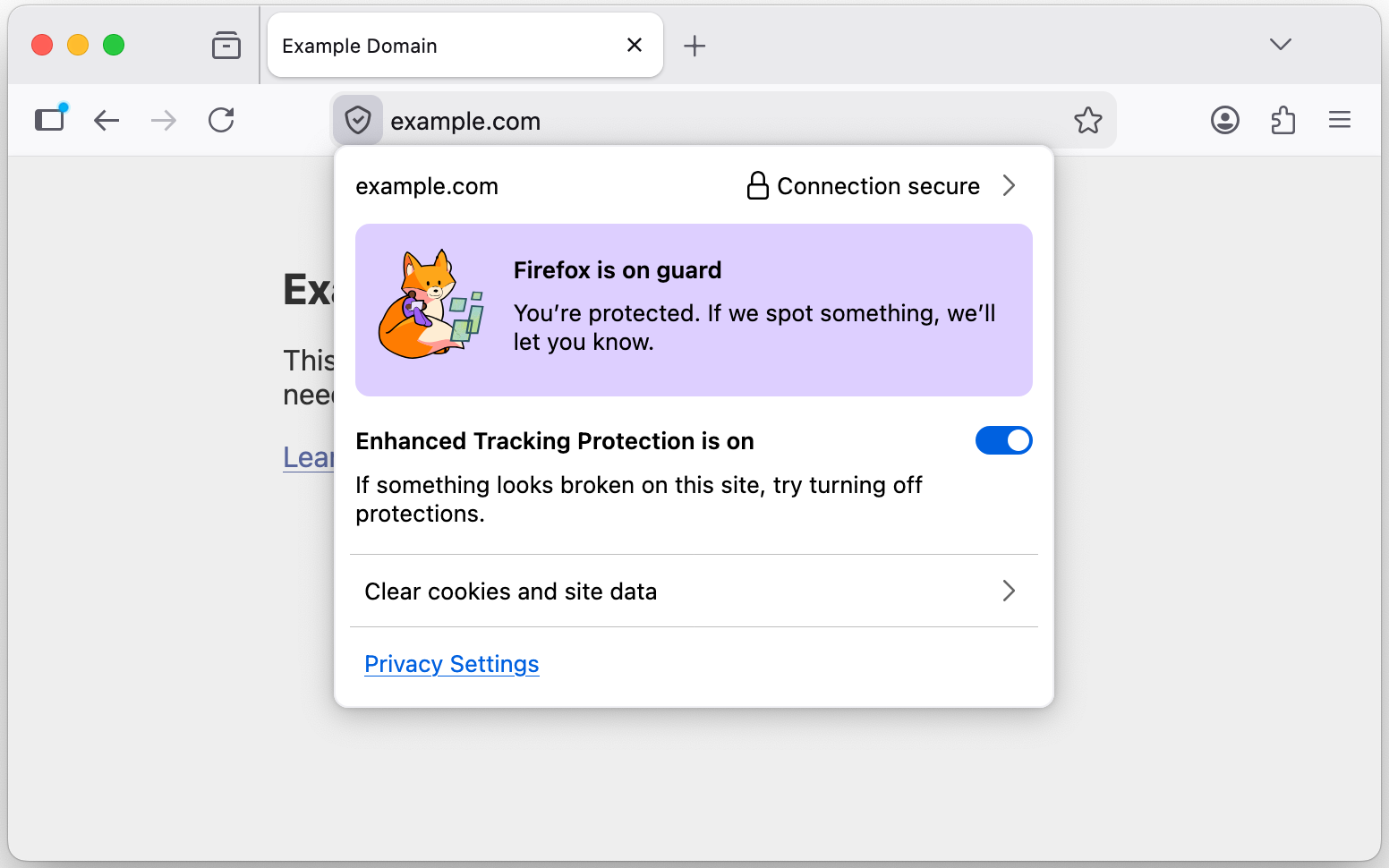
The TrustPanel combines the privacy and security panels accessed from the address bar to give the user one place to check the Privacy and Security settings of the current page. Learn more.
-
Security has been strengthened by tightening the requirements for JavaScript files that can be loaded in the parent process, providing additional defense in depth against potential threats.
-
On Linux, Firefox will now default to the XDG portal file picker if available, rather than the GTK3 one, which is usually better integrated with the user's desktop environment, and more powerful.
-
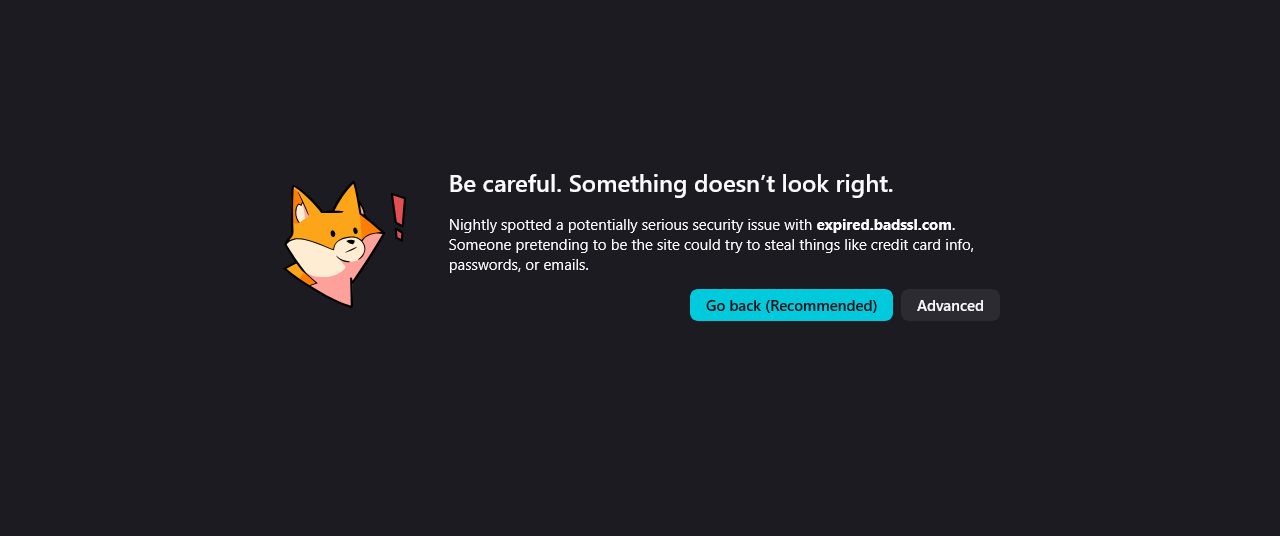
Firefox error pages have a fresh new look, with updated visuals that better match the overall feel of Firefox. The redesigned pages create a more cohesive experience while making it clearer what went wrong.
-
On Windows, Firefox will use the modern
Windows.Devices.GeolocationAPI for geolocation instead of Windows 7 location API.
Get the most recent version
Download Firefox — English (US)
Your system may not meet the requirements for Firefox, but you can try one of these versions:
Download Firefox — English (US)
-
Download Firefox
-
Download Firefox
-
Download Firefox
-
Download Firefox
-
Download Firefox
-
Download Firefox
-
Download for Linux 64-bit
-
Download for Linux ARM64
-
Firefox for Android
-
Firefox for iOS