Edita archivos PDF gratis con el editor de PDF Firefox
Si necesitas agregar elementos a un documento PDF, ahora puedes hacerlo en línea con Firefox. Abre el PDF en Firefox y haz clic en los botones Texto o Dibujar en la esquina superior derecha para realizar cambios en el documento. Descarga el archivo para guardarlo con los cambios.
Completa formularios en línea sin necesidad de imprimir ni escanear
Todos nos hemos enfrentado a esto: tenemos que completar un formulario en formato PDF, pero no es editable. En el pasado, la única opción era imprimirlo en un árbol muerto, agregarle cosas con tinta y luego escanearlo nuevamente en la computadora.
No more! Now, all you need to do is edit the PDF online with Firefox, save it, and email it from your computer.
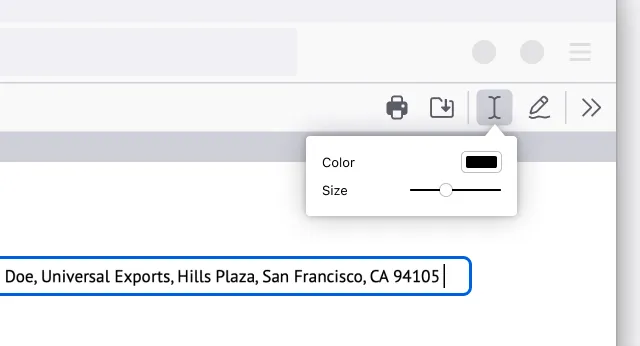
Agregar texto
Open the PDF in Firefox. Click the Text button to choose a color and text size before selecting where on the document you wish to add text. It's that easy!
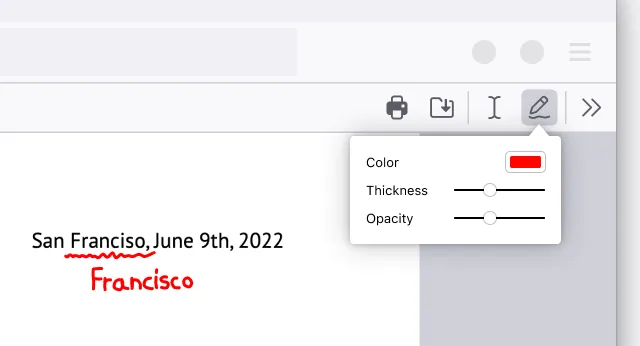
Add drawings
Open the PDF in Firefox. Click the Draw icon to choose a color, thickness and opacity before then being able to draw on the document.
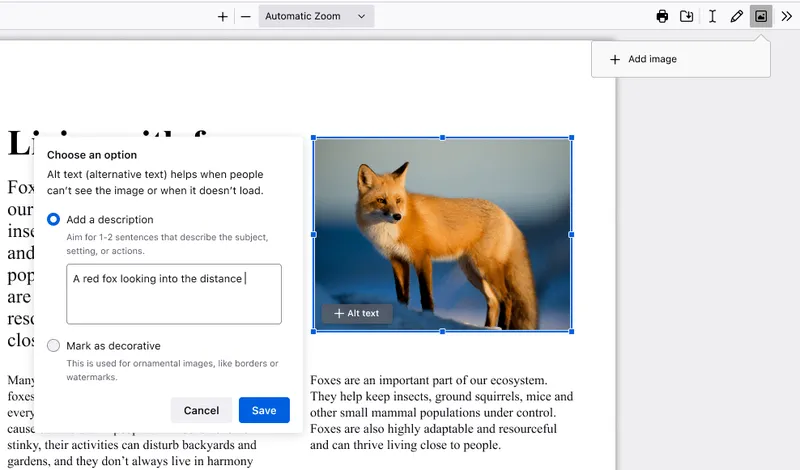
Agregar imagen con texto alternativo
Open the PDF in Firefox. Click the image icon, which will then prompt you to upload an image. Adjust size and placement of your image as needed. Click the "+Alt text" button on the image to add a photo description to make your PDF more accessible.
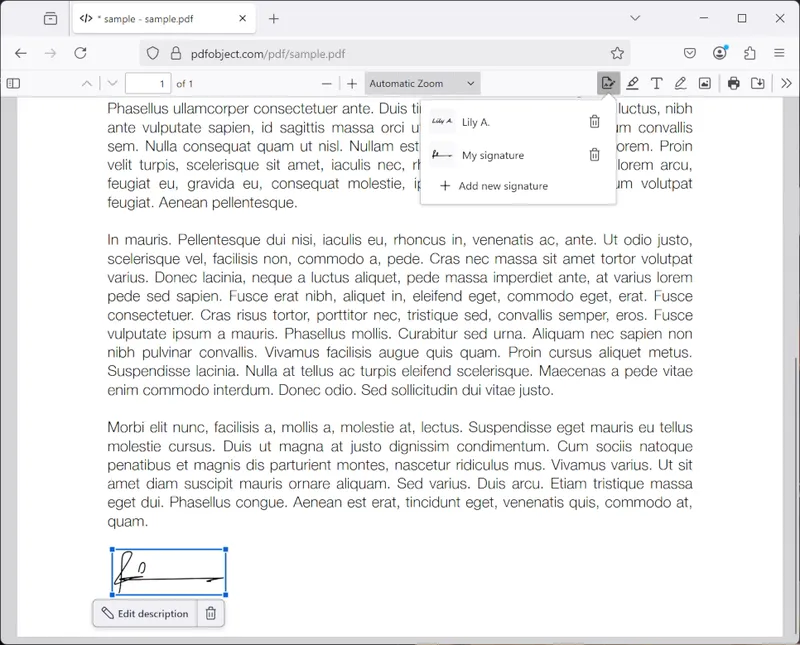
Create a signature
Open the PDF in Firefox. Click the signature icon and then click "Add new signature". Choose between Type, Draw or Image, and click the Add button to insert. You can also save your signatures and use them again later.
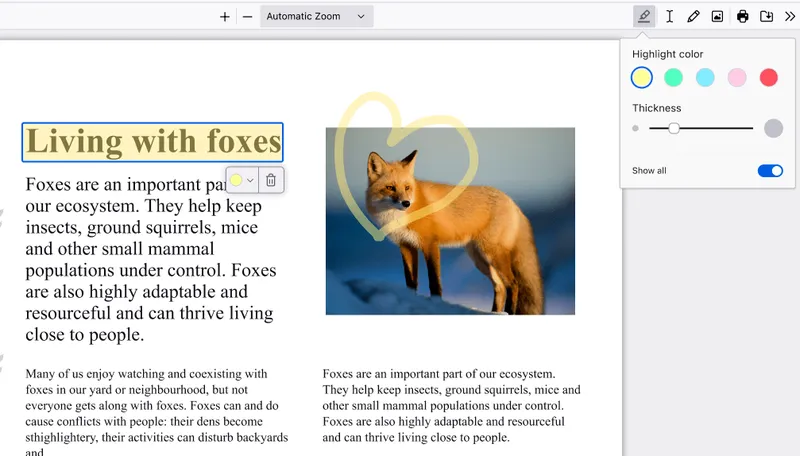
Create a highlight
Open the PDF in Firefox. Select the text you want to highlight, then click the highlight icon that appears below your selection, or right click to find the highlight option in the context menu. Click the icon in the top right to freehand highlight sections of the PDF.
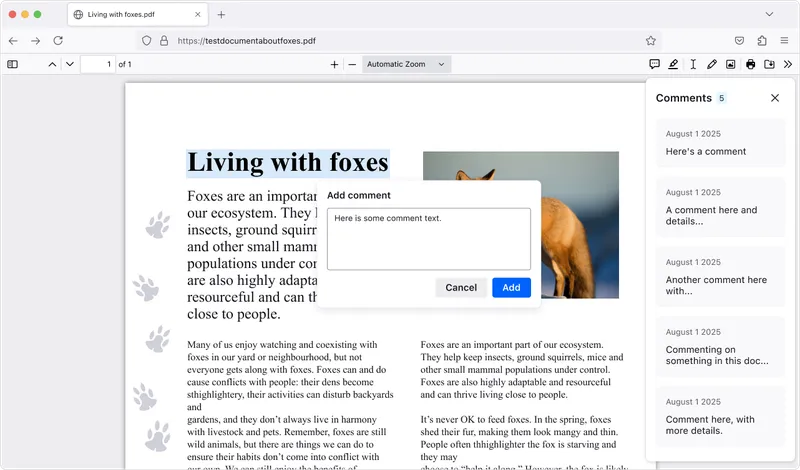
Add comments
Open the PDF in Firefox. Create a highlight, then click the Comment icon that appears below your selection, type your comment, and click Add to save. Lots of comments in a PDF? Click the Comment icon in the top right to open the sidebar and jump to the one you need.