Firefox
Your Firefox has been updated

WELCOME BACK TO FIREFOX

The browser that has your back. Better than ever.

A redesigned browser that’s faster, more private, and built to work your way.

Kit, the Firefox mascot, faces forward with paws outstretched and a large tail to the left, against a dark purple background.

5 ways Firefox puts you first

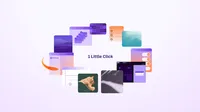
“1 Little Click” surrounded by illustrations of bookmarks, settings, folders, and other browser content.

1. Bring your stuff with you — bookmarks, passwords, history

Everything moves over from Chrome, Edge, or whatever browser you use today in one click. No starting over.

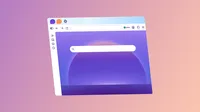
Illustrated Firefox window with a purple New Tab background, a centered search bar, and icons along the left sidebar.

2. Make it yours from the start

Pick a theme, set a wallpaper, shape your homepage. Most browsers decide what you get. This one puts you in control.

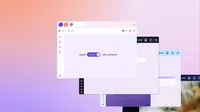
Overlapping Firefox browser windows show a green checkmark beside “VPN” in the toolbar. The front window reads “Super Secure wifi_network.”

3. Hide your location with a built-in VPN

Browse from a different location to help keep your real one private. Includes 50 GB of protection free every month. Not available in all countries. Learn more

Speed-EN

4. Browse faster than ever

Firefox blocks trackers to help pages open quicker, load faster, and scroll more smoothly.

Kit, the Firefox mascot, leaps over a large toggle switch toward a browser window on a purple background.

5. Try AI Controls

Turn off the AI features you don't want, or fine-tune exactly which ones you use. It's on your terms, anytime in Settings.

Stay a while. Make it yours.

Keep up with all things Firefox

Get how-tos, advice and news to make your Firefox experience work best for you.