Firefox

Your Firefox has been updated

🎉 Celebrating 150 Firefox releases!

What's new in Firefox 150

Free VPN
Extra privacy. No extra cost.

Hide your location and IP address with just a click. Add another layer of protection — free, with 10x more monthly data than other major browsers.

Higher security 3x - EN

Stay private in public

Keep your location hidden on shared networks like cafés and airports.
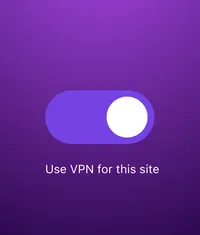
Toggle switch on a purple background with the text “Use VPN for this site.”

Disappear on demand

Turn VPN on for the sites you want — and off for the ones you don’t.
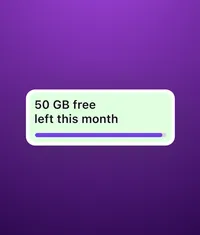
Card on a purple background showing “50 GB free left this month” with a progress bar.

Plenty of data, on us

Get up to 50 GB of extra protection every month — free.
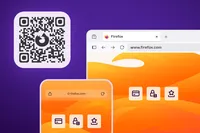
Illustration of a Firefox QR code next to desktop and mobile browser screens showing the firefox.com homepage, with icons for payment, security, and favorites on a purple and orange background.

Firefox Mobile

Your phone needs Firefox, too

Jump quickly between devices and stay protected as you browse with Firefox for Android or iOS.

Scan the QR code to download Firefox Mobile.

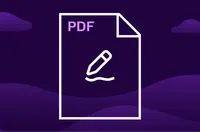
Illustration of a PDF document icon with a pencil edit symbol on a purple background.  DE (Deutsch)

PDF Editing

Show that PDF who’s boss

Firefox’s built-in PDF editor now lets you reorder, copy, paste, delete or export pages — all in your browser, no subscription needed.

More ways we’ve got your back

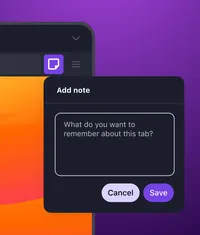
Popup dialog titled “Add note” with a text field asking what to remember about the tab, and Cancel and Save buttons.

Hold that thought

Add notes right inside a page with Tab Notes to save thoughts, ideas or context as you browse.

Illustration of a browser window with a fox icon, overlaid by a circular badge showing a checkmark and the label “VPN” on a purple background.

Double your productivity

With Split View, open two tabs side by side in one window to compare, reference or multitask.
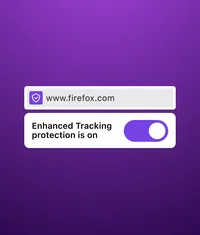
Firefox address bar showing www.firefox.com  and a card stating “Enhanced Tracking Protection is on” with the toggle enabled.

Protection made simple

Click the shield in the address bar to view the security and privacy details of the page you’re on.

Keep up with all things Firefox

Get how-tos, advice and news to make your Firefox experience work best for you.