




Stay private in public
Keep your location hidden on shared networks like cafés or airports.
New in Firefox
Firefox now includes a free built-in VPN that hides your IP address while you browse, so websites see less of where you really are.

No separate VPN app. No extra download. Turn it on from Firefox and choose where to use it from.
Keep your location hidden on shared networks like cafés or airports.
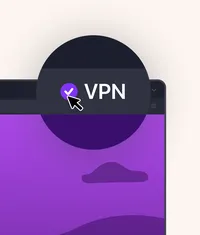
Set your browsing location from one of over 20+ countries
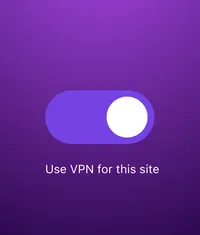
Turn VPN on for sites you want — and off for ones you don’t.

From airport Wi-Fi to hotel networks, Firefox’s built-in VPN keeps your connection private while you're away from home. Without adding another app to your trip checklist.
Browser tools that are simple, fast, and powerful. Firefox puts extra protection, productivity, and customization right where you browse.
Get 50 GB of protected browsing every month for everyday activities like shopping, banking and reading.
Turn built-in VPN on when you want it. Turn it off for sites that work better without it.
Mask your IP address so websites see less of your real location while you browse.
At cafés, hotels, airports and dorms, built-in VPN helps keep people on the same network from seeing the sites you visit.
Use built-in VPN where you want extra privacy and leave it off where you don’t.
Built-in VPN joins Firefox privacy tools like Total Cookie Protection, Private Browsing and anti-fingerprinting.
Turn on built-in VPN when a little extra discretion matters.
Traveling on the go
Airports, hotels, cafés and dorms are shared spaces. Built-in VPN helps keep people on the same network from seeing which sites you visit.

Personal browsing
Shopping, health questions, job searches, late-night rabbit holes. Hide your IP address when you want more privacy around what you’re doing online.

Location control
Set a browsing location in Firefox, so sites see that location instead of where you really are.