Firefox
What's new in Firefox 153
Your Firefox has been updated

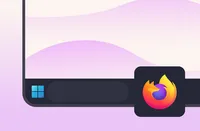
Firefox icon pinned to the Windows taskbar.

Quick tip

Keep Firefox just a click away

Pin Firefox to your taskbar for quick access whenever you're ready to browse.

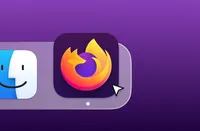
Firefox icon in the macOS Dock.

Quick tip

Keep Firefox just a click away

Add Firefox to your Dock for quick access whenever you're ready to browse.

Introducing Tab Groups now on Android

Your tabs need group therapy

Available on Android

Tabs on your phone a mess? We’ve got you. Now you can group related tabs on Firefox Android, so you can find what you need and get on with it.

Get Firefox on your phone

Take Firefox with you.

Get more from Firefox

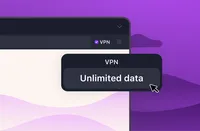
Firefox browser displaying the Mozilla VPN menu with the “Unlimited data” option.

EXPANDED VPN ACCESS

Free built-in VPN, now with unlimited data

Your free built-in VPN also gets unlimited data plus access to 28 locations — now through the end of August.

Whether you’re checking into hotel Wi-Fi, working from a café or streaming from abroad, you’ve got extra privacy and more flexibility built right into your browser.
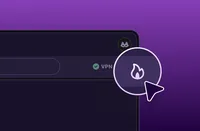
Firefox browser window with the Firefox private browsing icon highlighted in the toolbar.

PRIVATE BROWSING PRO TIP

Clear browsing data, instantly

Finished with a private task? Click the Clear private session button to remove your current browsing data and keep browsing in the same Private Window.

Try it:
1)
Press ⌘ + Shift + P to open a New Private Window
2) Click 🔥 when you're ready to start fresh

Firefox browser window with the Firefox private browsing icon highlighted in the toolbar.

PRIVATE BROWSING PRO TIP

Clear browsing data, instantly

Finished with a private task? Click the Clear private session button to remove your current browsing data and keep browsing in the same Private Window.

Try it:
1) Press Ctrl + Shift + P to open a New Private Window.
2) Click 🔥 when you're ready to start fresh

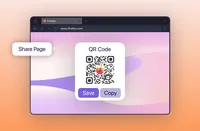
Firefox browser displaying a QR code for sharing the current webpage.

EASY SHARING

Share pages with a quick scan

Generate a QR code for any webpage and open it on your phone, share it with others, or add it to presentations and printed materials.

To get started: Right-click a tab and choose Share → Generate QR Code.

EN - store

New Merch Alert

Update your kit with Kit

Kit looks good on everything. Shop fresh Firefox apparel, accessories and limited-edition favorites from the Mozilla merch store.

Keep up with all things Firefox

Get how-tos, advice and news to make your Firefox experience work best for you.